
From Lot to Loan: What a Connected Inventory → Deal → Financing Workflow Looks Like
See how a connected inventory → desking → financing workflow moves a shopper from a car on the lot to an approved, converted customer — with the info entered once.
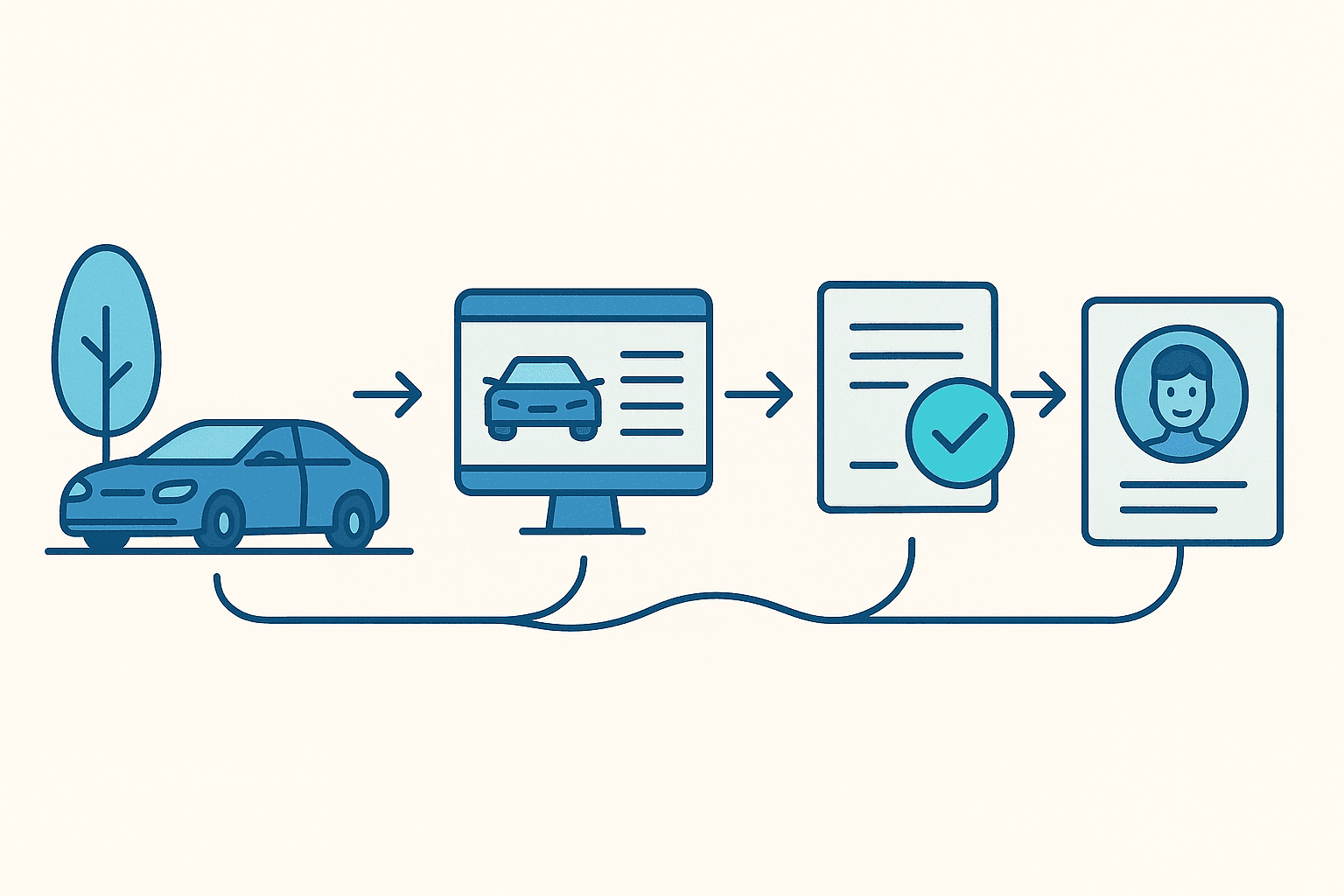
If you've ever watched a promising deal lose steam somewhere between the test drive and the finance office, you already know the culprit. It's rarely the customer, and it's rarely the salesperson — it's the seam between systems. The moment someone has to re-type the same buyer into yet another tool.
Dealers feel this daily. In an eLEND Solutions survey of U.S. dealers, 56% said they hit information gaps or discrepancies between their CRM, DMS, and financing systems at least a quarter of the time, and 95% said better integration between their tools would improve both efficiency and the buying experience (MediaPost, AutoSuccess). When the vehicle lives in one place, the customer in another, and the credit app in a third, every handoff means re-keying — and every re-key is a chance to fumble a detail or lose momentum right when it counts.
The fix isn't a faster typist. It's a workflow where each step hands off cleanly to the next. Here's what that looks like when inventory, desking, and financing all live in one system.
Step 1: It starts on the lot — Inventory
Everything begins with the vehicle. In DealerClick, your inventory is a live vehicle list with real-time stat cards — Available, Pending, and Sold counts, plus the Total Value of your current stock — so you can read the shape of your lot at a glance. Filter by status (Available, Pending, Sold, Wholesale, Auction) and search by stock number, VIN, year, make, or model [capabilities].
Open any vehicle and you get tabs for photos, costs, values, forms, and history. The Values tab surfaces KBB and MMR book values to help you price competitively — pricing references to guide your call, not guaranteed sale or trade-in numbers [capabilities].
The point: the car is entered once, with its real numbers, in a place everything downstream can reach.
Step 2: The car becomes a deal — Desking
When a shopper is interested, that vehicle becomes a deal. Desking is a pipeline of its own — stat cards for Pending, Sold, and Funded deals plus Total Value — and each deal ties a customer to a vehicle, so there's no re-typing the VIN or the buyer's name [capabilities].
Not sure which vehicle fits the customer's budget? The Quote Wizard takes their income, estimated credit, desired monthly payment, terms, down payment, and trade, and returns a customer-friendly list of affordable vehicles with estimated payments [capabilities]. Those are estimates to steer the conversation — the lender still sets the final terms. On the desk, trade equity and F&I products recalculate the deal live, so you watch the payment update as you work it [help/deals-id].
Step 3: Getting them financed — the Credit Application
Once you've settled on a vehicle and a structure, it's time to finance. A DealerClick credit application captures the applicant's personal, employment, and income details, the vehicle of interest, and an optional co-buyer when two people are applying together [capabilities, help/credit-apps]. Start it blank or pre-fill it from an existing customer, and attach supporting docs like pay stubs and bank statements right on the application [help/credit-apps-id].
Every application carries a status badge, so you always know where it stands: New → Pending → Approved → Denied → Converted [capabilities, help/credit-apps-id]. Open one to review the full application and the lender's decision.
One thing we're careful to be clear about: DealerClick doesn't approve financing. It organizes the application and tracks it — the approval decision and the final terms belong to the lender [capabilities]. The income and housing fields matter here because they feed the lender's debt-to-income look, and while a co-buyer's income can help someone qualify, their debts count too [help/credit-apps].
Step 4: Approved → a real customer
Here's where the connected part pays off. When an application comes back Approved, one click on Convert to Customer turns that applicant into a customer record and moves them toward a deal [help/credit-apps-id]. The details you already captured carry over — no fresh data entry, no transcription mistakes at the finish line. (Once an application has been converted, that button tucks itself away, so nobody converts the same person twice.)
That's the full arc: a vehicle on the lot → a deal on the desk → a tracked credit application → a converted customer. One thread, start to finish.
Why one screen wins
When those four steps live in separate tools, the customer's information gets re-entered at each border — and, as that dealer survey showed, the gaps between systems are common enough to slow a real share of deals (MediaPost). Run the same flow on one system and:
- The vehicle and buyer are entered once, then reused at every stage.
- Handoffs are faster — the desk, the credit app, and the customer record all point at the same data.
- There's one source of truth, so the numbers a customer hears early match the ones they see later.
That's the idea behind running your whole lot from one screen: fewer seams, fewer re-keys, and less friction between the moment a shopper likes a car and the moment they drive it home.
See the flow for yourself
Inventory, desking, credit applications, and customers are all part of one DealerClick system — built for independent and franchise auto stores, plus BHPH/LHPH, powersports, marine, RV, and more [capabilities]. Want to see the lot-to-loan flow on your own numbers? Book a demo and we'll walk you through it.
Stay Updated
Get the latest auto dealer insights delivered straight to your inbox.
No spam. Unsubscribe anytime.